Recovering control
Your coding agent got it wrong. Which kind of wrong?
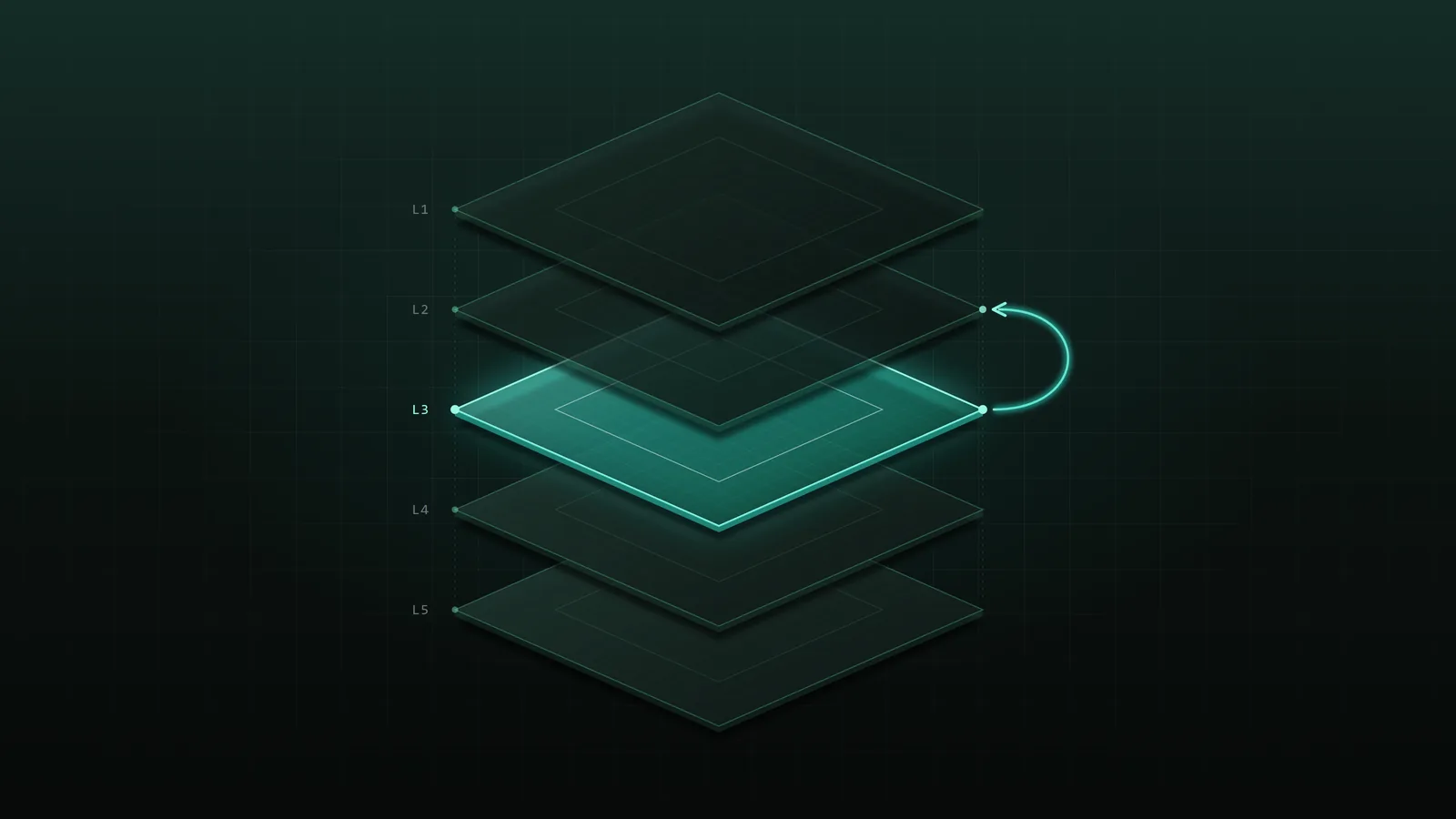
When a coding agent gets it wrong, “fix it” is rarely the right next message. First name the class of error: goal, direction, execution, verification, or tool and environment. Each one sends you back to a different level, and the sooner you react to the first deviation, the less you have to roll back.
Written by Zbigniew Jaryst · · 5 min read · Czytaj po polsku
I asked an agent to fix a filter in an Angular device catalogue: after switching the brand, the model dropdown still showed a model from the old brand. It reset every filter on brand change, so price range and storage went blank too. I wrote “fix it, the other filters must keep working”. The second attempt added a special case for price, the third one for storage. Three patches, each a correct execution of the wrong direction. I kept correcting the code when I should have stopped and corrected the plan.
Why does “fix it” keep making things worse?
Because “fix it” treats every failure as an execution error. If the agent is solving the wrong problem or following the wrong pattern, another round polishes the mistake instead of removing it. Each patch adds code on top of a decision you never approved, and the agent rereads its own failed attempts on every turn.
What are the five classes of coding agent errors?
Goal, direction, execution, verification, and tool or environment. The label matters less than the level it sends you back to.
1. Goal error: the right solution to the wrong problem
You asked for a stale model selection to be fixed, and the agent redesigned the filter panel because it read the task as a UX complaint. Signal: the diff is plausible but answers a different question. Go back to the task. Restate the current behaviour, the expected behaviour and what counts as done.
2. Direction error: the right goal, the wrong path
The goal is clear, but the approach, the pattern or the area is wrong: resetting all filters, or editing ProductFilters when the catalogue uses CatalogFilters. Signal: each fix creates a new special case. Stop the implementation and fix the plan. More code will not repair a wrong direction.
3. Execution error: the right path, a technical slip
The approach holds, but the code has a defect: a missing useEffect dependency, a valueChanges subscription that is never torn down, an off-by-one in pagination. Correct it locally, add a test, verify again. This is the only class where “fix it” is the right message, ideally with the failing case attached.
4. Verification error: maybe correct, not proven
The code might be fine, but nobody checked the empty state, the other filters or a page refresh. Add the missing evidence: a regression test, a manual pass through the flow, a look at the usages. How to review AI-generated code covers which evidence counts.
5. Tool or environment error: the problem is not in the code
The agent keeps editing because the dev server is down, a command fails, the Node version is wrong or an MCP server is misconfigured. Signal: the same error survives changes that should have affected it. Stop the attempts and fix the environment. Working around a broken tool in code creates a second problem.
“Fix it”
It's still broken. Price got reset too. Fix it.
Treats a direction error as an execution error. Expect a fourth special case.
Classified
Stop. This is a direction problem, not a bug: resetting all filters on brand change breaks price and storage. Revert the last three changes. Boundary: only the model depends on the brand, every other filter keeps its value. Propose a plan that clears the model only when it doesn't belong to the new brand. Don't implement yet.
Names the class, returns to the plan, restores the boundary.
Direction and execution are the two classes people confuse most. Test: describe the agent's approach in one sentence, as you would to a colleague. “Reset every filter when the brand changes” fails, because you reject the approach itself. “Clear the model when it doesn't belong to the new brand, but the effect runs one render late” passes: the approach stands and a detail is wrong. Reject the approach and it is a direction error. Reject a detail and it is an execution error.
Why does it matter how fast you notice?
Because the cost of a wrong decision grows with everything built on top of it: more files, more dependencies, more tests that encode the wrong behaviour.
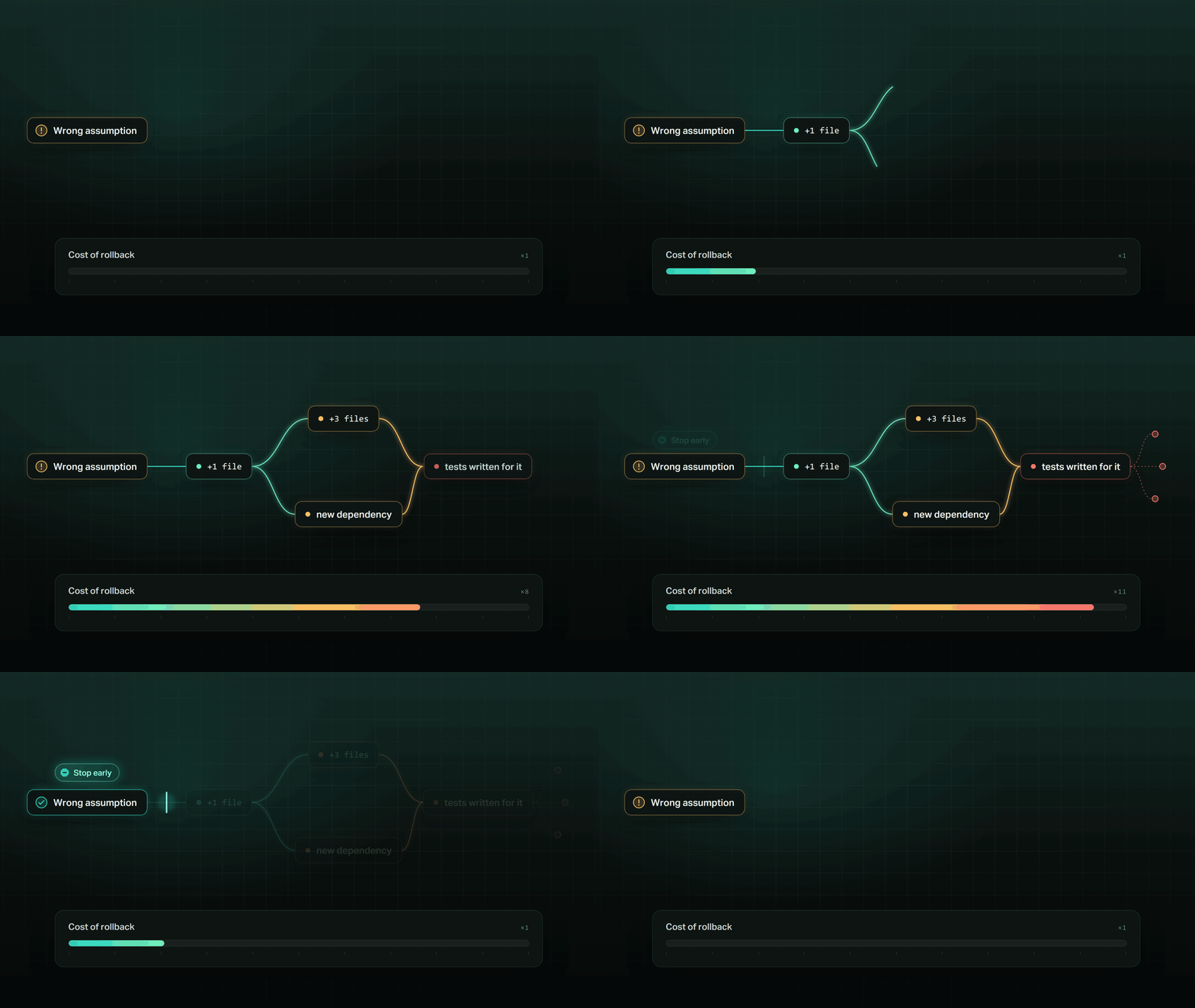
Measure your own work by the number of agent actions between the first deviation and your reaction. You don't have to prevent every mistake. You have to see it while it is still one file and not a branch of work. A direction error caught in the plan audit never becomes a diff at all.
When should you stop the agent instead of correcting it?
As soon as more effort on the current path stops producing new information. Agents will keep rescuing a wrong direction for a long time, so decide the stop conditions up front:
- the agent has to assume an unconfirmed product behaviour;
- the changed files go beyond the agreed scope;
- the solution requires changing a shared contract;
- a regression appears in an unrelated area;
- the plan no longer describes what is being implemented;
- patching further costs more than reverting and replanning.
Anthropic's Claude Code guidance says the same: after two failed corrections, run /clear and write one better prompt that folds in what you learned, because a third correction mostly adds to a conversation full of failed attempts.
How do you get back on track after stopping the agent?
Go back to the level where the error started, not to the last line of code.
- Name the class: goal, direction, execution, verification or environment.
- Return to its level: the task, the plan, the code, the evidence or the tooling.
- Roll back instead of patching on top of the wrong direction. In Claude Code,
/rewindrestores code and conversation to an earlier prompt; files changed only through shell commands are not covered, so keep git as your safety net. - Send one message that includes what you learned, or start a clean session with it.
- Verify against the criteria you set before the work, not against the agent’s summary.
Frequently asked questions
Why does my AI coding agent keep breaking code that worked?
Usually because a direction error is being treated as an execution error. The agent keeps patching symptoms of a wrong decision, and every patch touches more code. Stop, name the error class and correct the plan or the boundary instead of asking for another fix.
How do I stop scope creep from a coding agent?
State before the work what must not change and which decisions need your approval. Audit the plan, watch the changed files while it runs, and stop the agent when they no longer match the plan.
Should I start a new session after the agent fails twice?
Often, yes. Anthropic's Claude Code guidance recommends /clear after two failed corrections and one better prompt that folds in what you learned. Roll the code back to a checkpoint first.